Sales Centri for govt and startups
Reach program owners before the tender opens
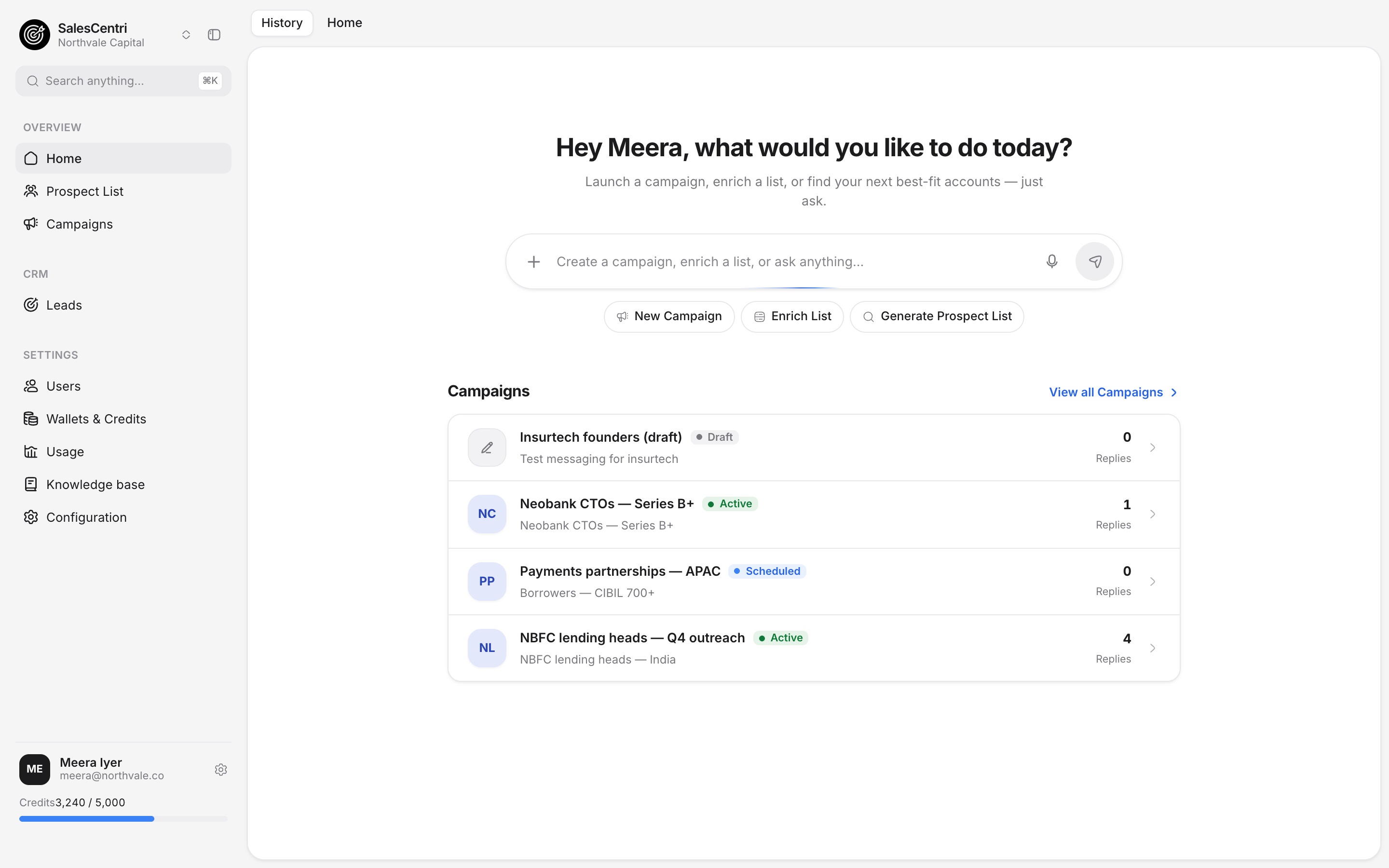
Describe the departments, schemes or govtech startups you sell to. Sales Centri finds program directors, procurement leads and founders, verifies their emails and drafts outreach for each one.
Walk through it first Sales Centri
1 / 6 · Describe
Describe who you sell to.
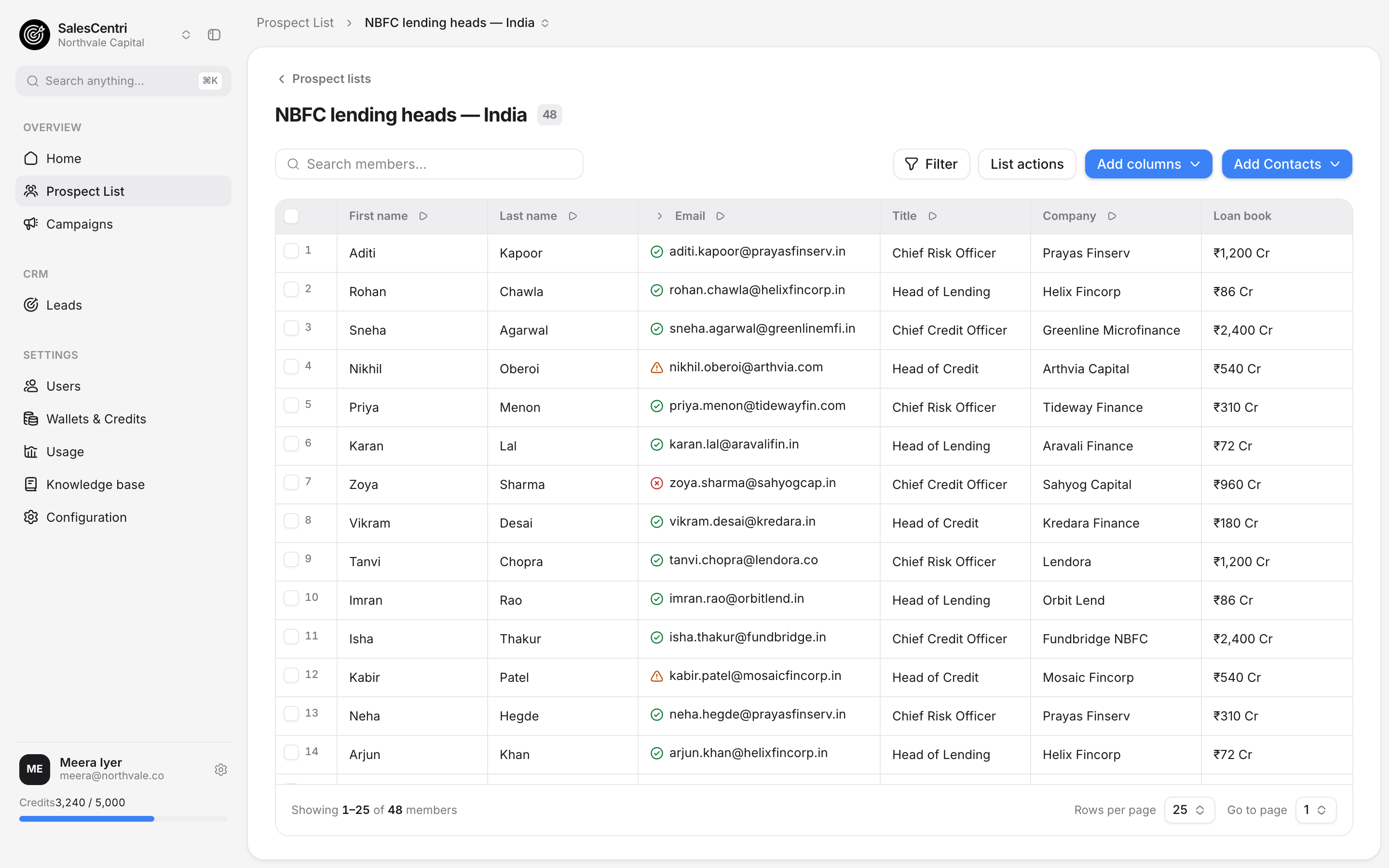
2 / 6 · Build
Reach owners before the tender.
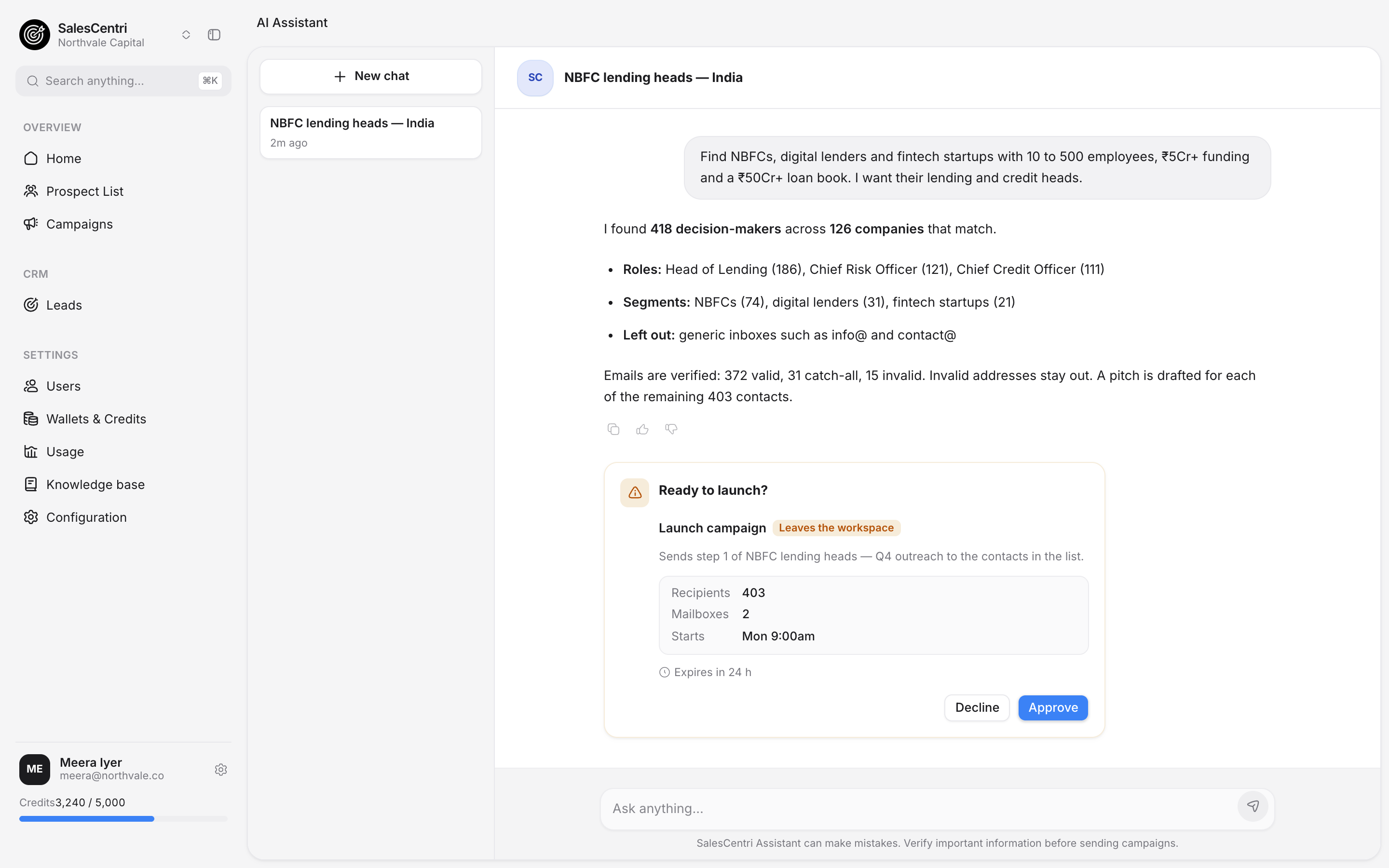
3 / 6 · Verify
Every email checked before you send.
4 / 6 · Pitch
A pitch for each program.
5 / 6 · Approve
Nothing sends until you approve.
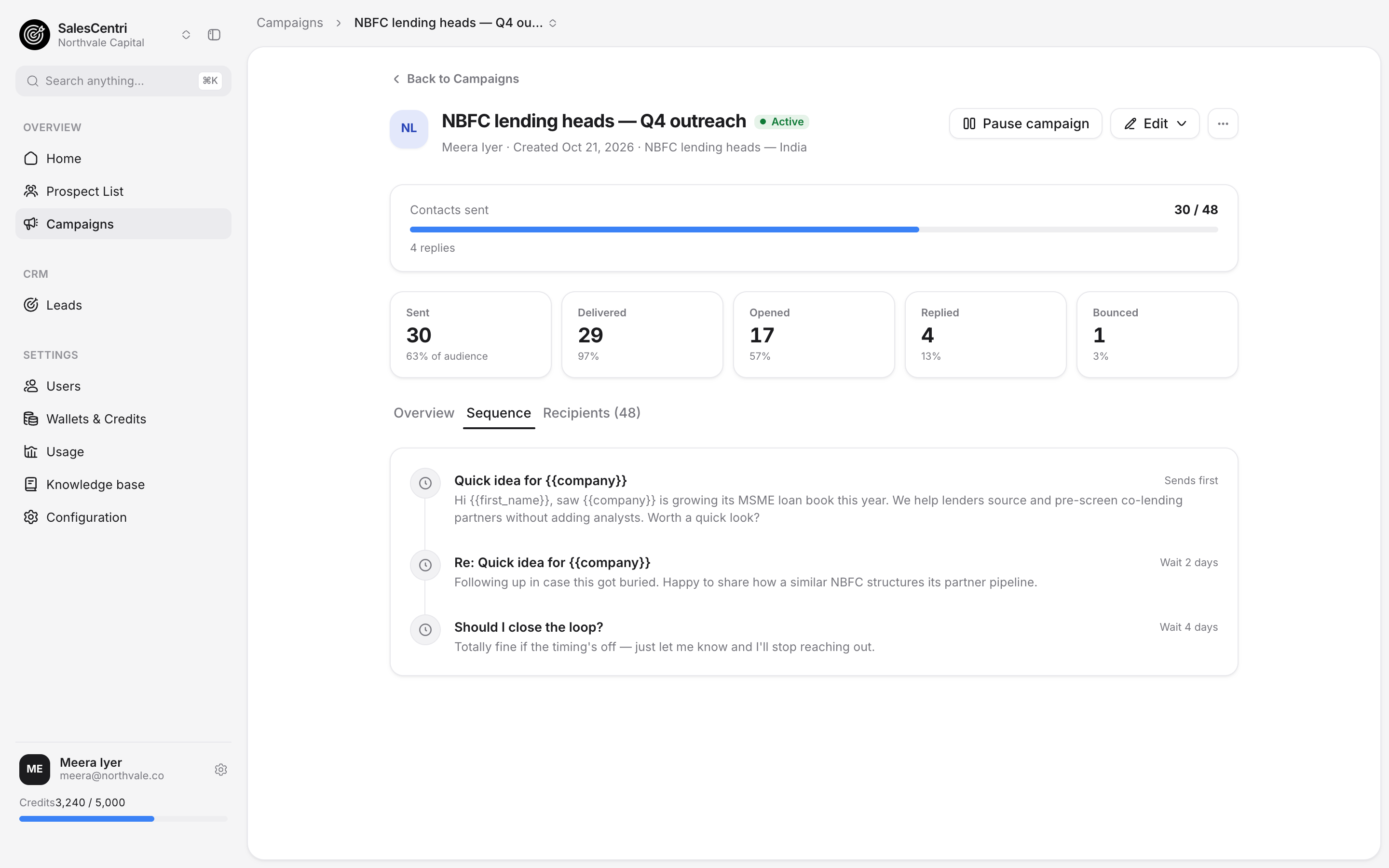
6 / 6 · Track
Follow every send and every reply.
Used in production by

 Financio


How Sales Centri works for govt and startup sales
Public buyers move through process. Find the program owners early, and the startups already selling into those programs.
Step 1 of 4
Sales Centri reads your brief
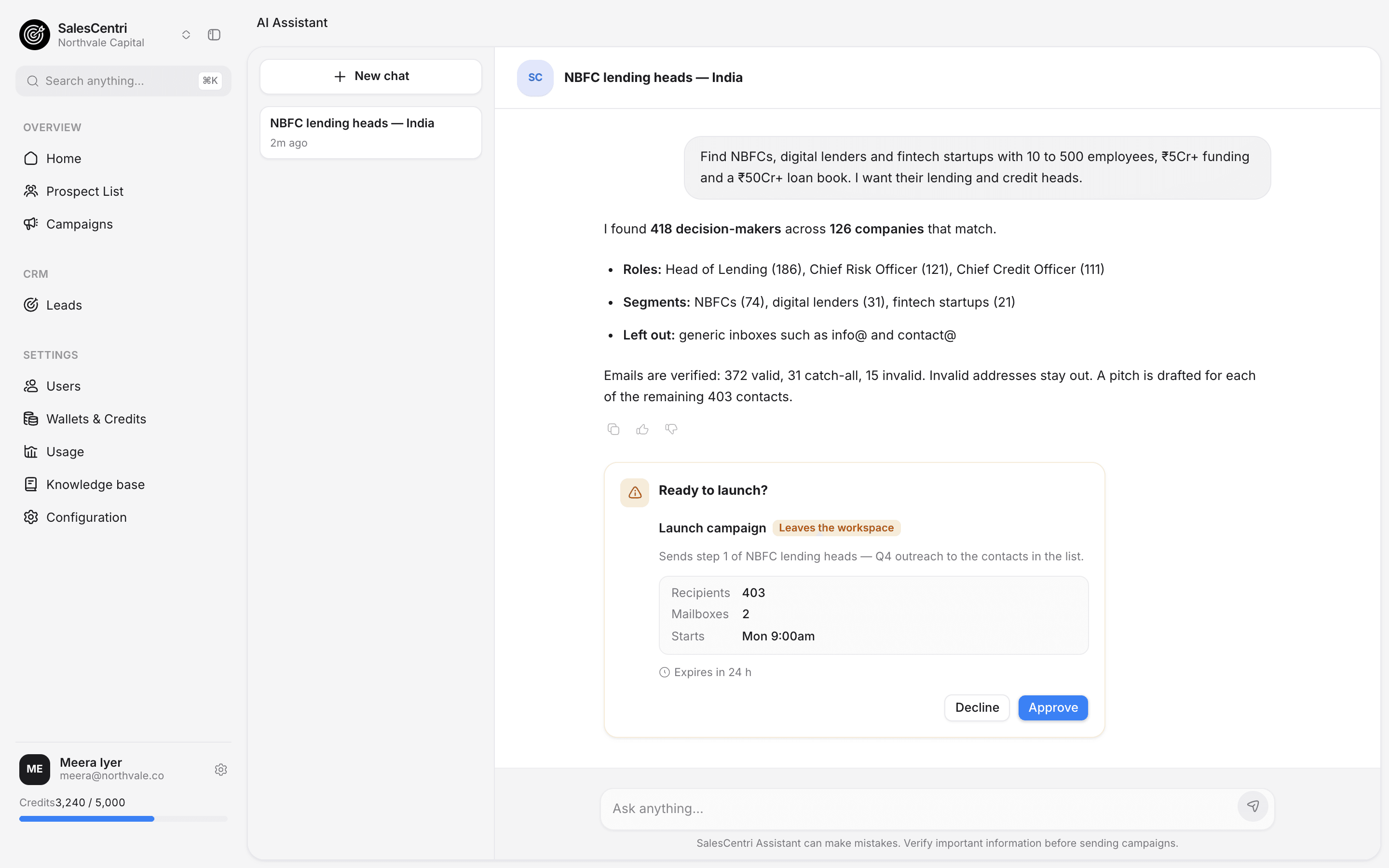
Tell the assistant which programs or startups you want.
Department, scheme, pilot stage, city or role. Write it in a sentence and Sales Centri turns it into a profile you can check.
- Program directors, nodal officers and procurement leads
- Govtech and public-sector startups as a separate audience
Step 2 of 4
Sales Centri builds the list
Group by program, not just by city.
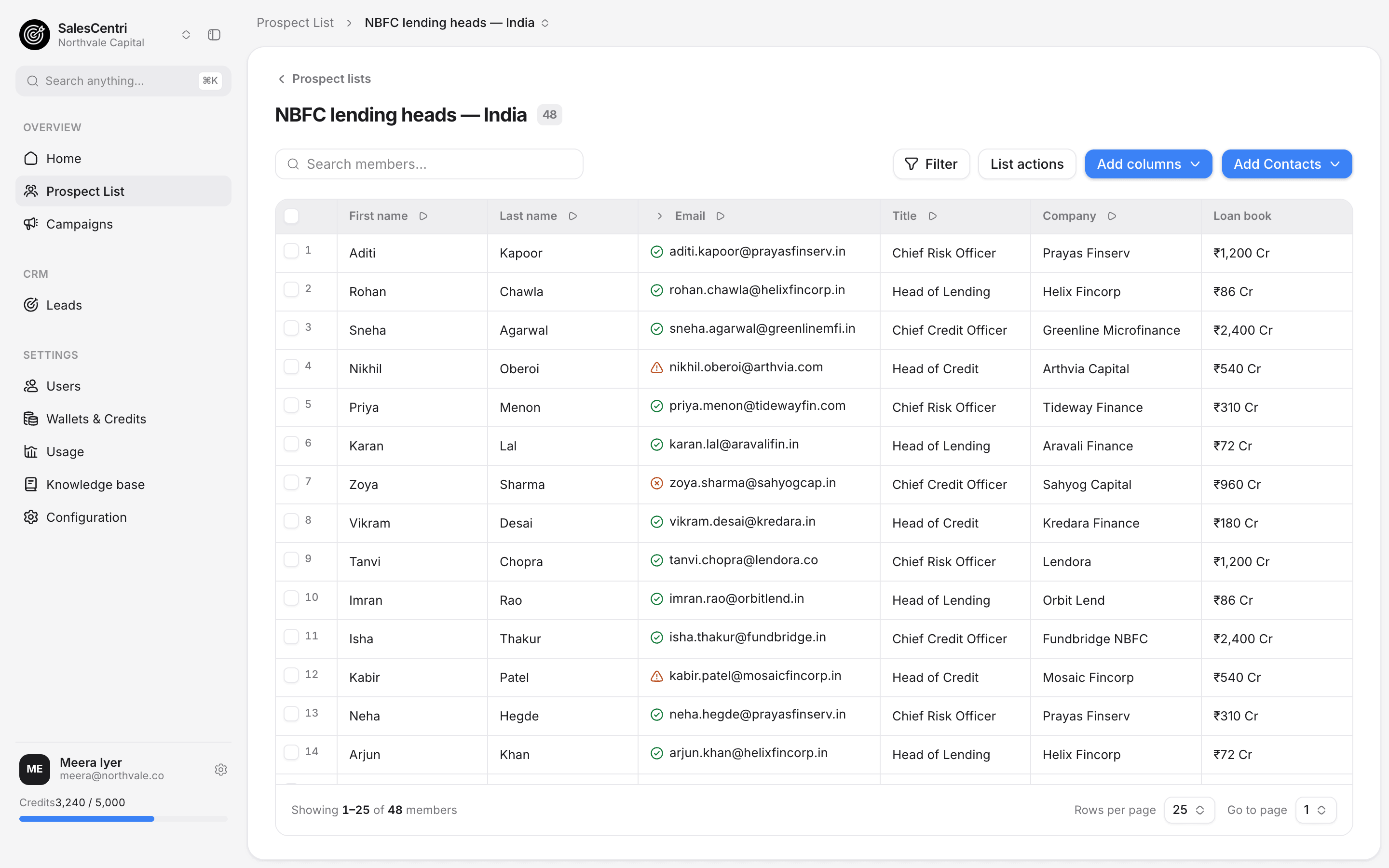
The list lands in your workspace with the people who own the budget, the programs they run, and the startups already in that lane.
- Named contacts, not generic department inboxes
- Add columns such as scheme or pilot status
Step 3 of 4
Sales Centri checks every email
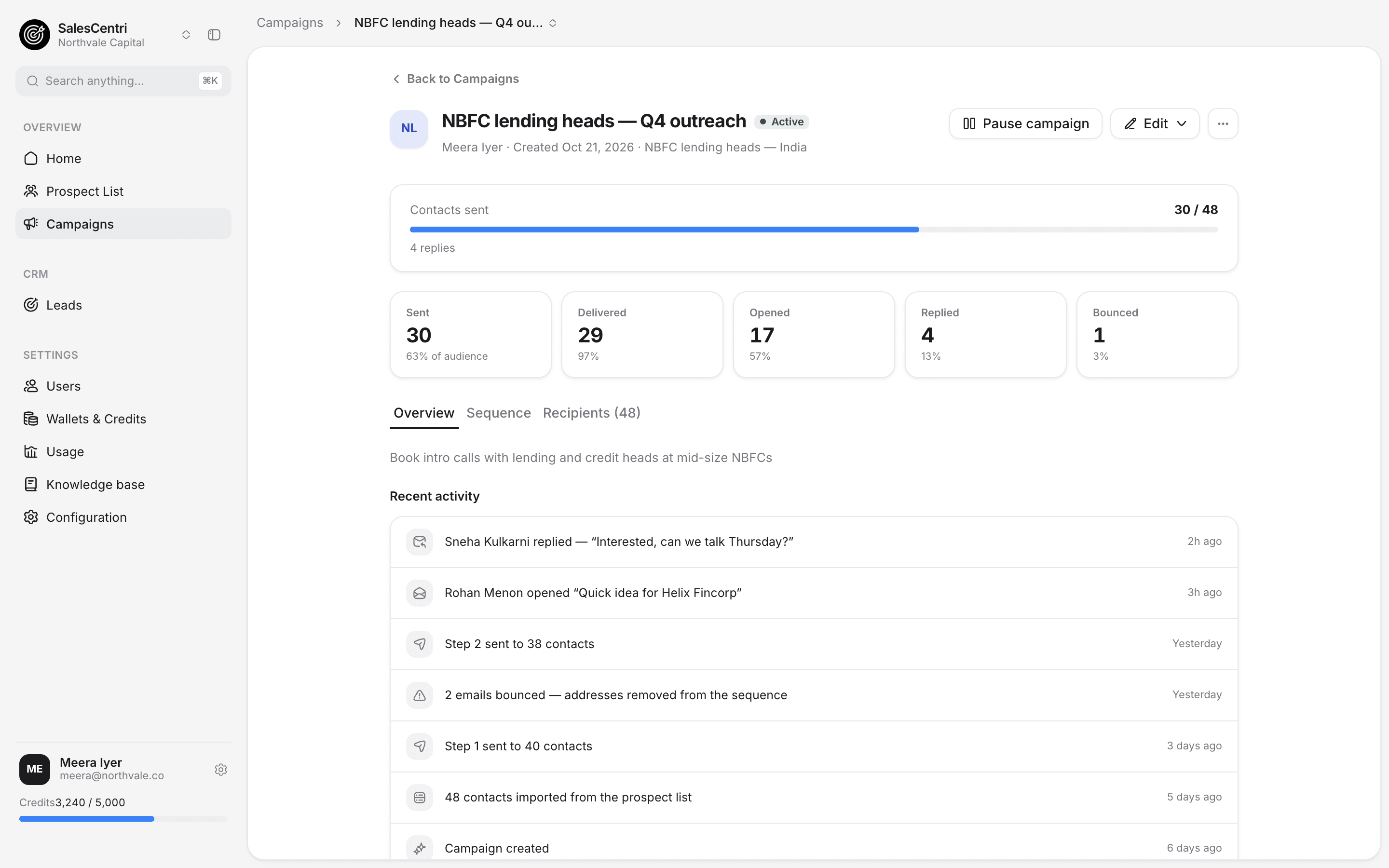
Valid, catch-all, invalid. Before you send.
Every address gets a status in the list itself. Invalid addresses stay out of the campaign, and you decide what to do with the catch-alls.
- Status visible next to each email
- Bounced addresses leave the sequence
Step 4 of 4
Sales Centri launches the campaign
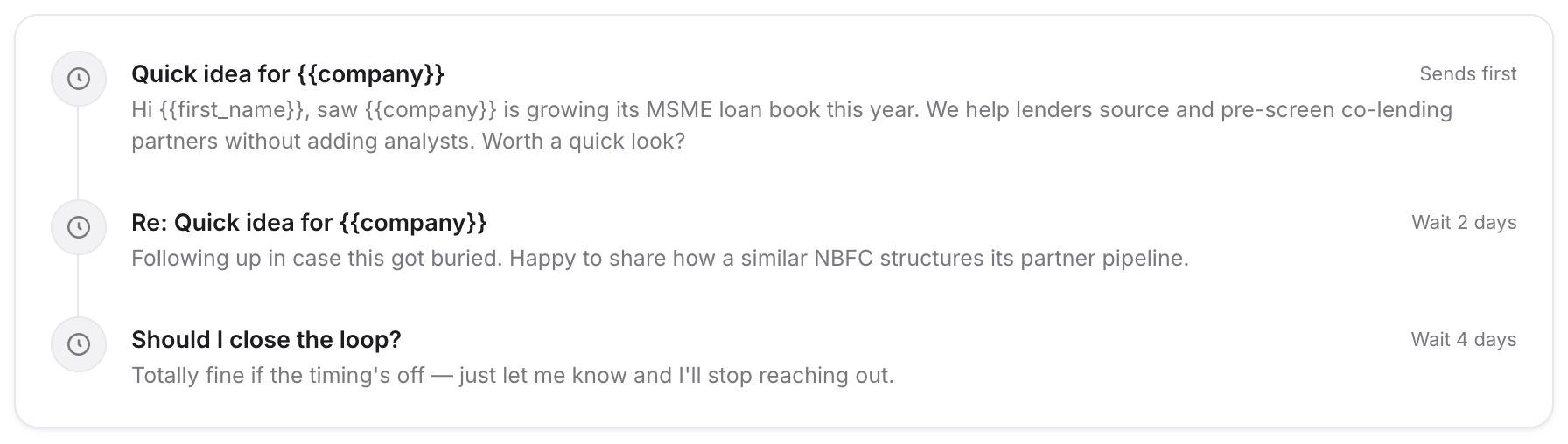
Outreach written for the program or the founder.
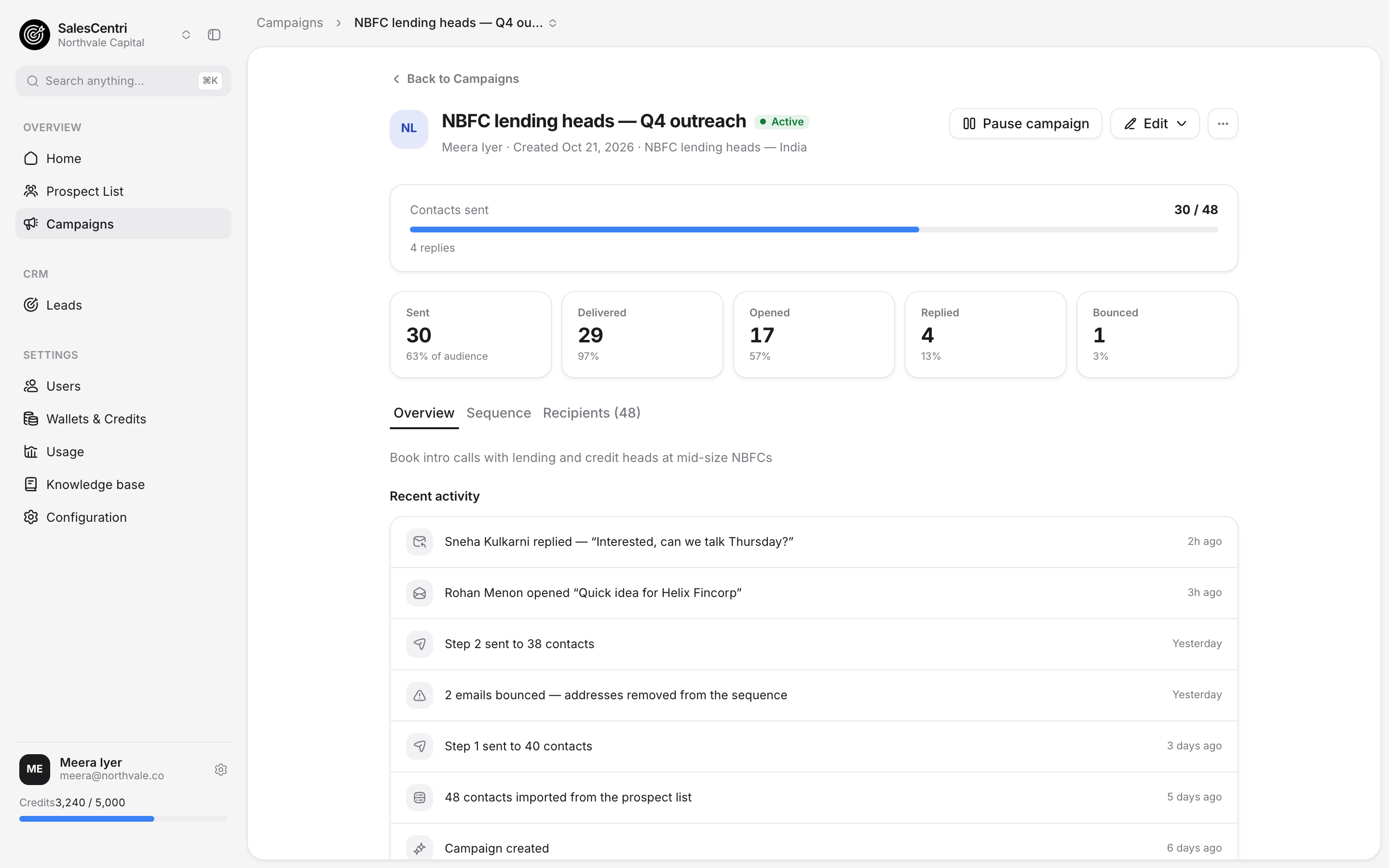
Each pitch is drafted for the contact. You approve the launch, then follow every reply from one screen.
- Nothing sends until you approve
- Replies flow into leads and pipeline
Try it
Do not take our word for it.
Ask for your first list now.
Write the program brief you would give a new hire. Review the list before anything goes out.
Customers
How teams selling into government and startups use Sales Centri to reach the right owners early.
₹50Cr+
Loan book filter
“We ask for lenders by team size, funding and loan book, and start with the ones at the right stage.”
Name, TitleFintech CloudWhy Sales Centri
Other tools hand you a database. Sales Centri does the work.
Public-sector and startup outreach usually runs across a data provider, a verifier, a sequencer and a CRM. Here it is one workspace.
| Compared on | Sales Centri | Stitched-together tools |
|---|---|---|
| Finding buyers | Ask once, in plain English | Filter screens and exports |
| Email quality | Verified in the list, before launch | A separate verifier and a re-upload |
| First message | A pitch drafted for each program owner | One template and merge tags |
| Control | Nothing sends until you approve | Rules you hope you set correctly |
| After the reply | Lead and pipeline in the same place | Another tool, another sync |
14-day free trial. No credit card required.
Built for teams selling to
- Program directors
- Procurement leads
- Nodal officers
- Govtech startups
- Public-sector founders
- Scheme owners
Your questions, covered
Start your first list today
Compliance question? Start with Trust & Compliance.
Start using Sales Centri today
Sales Centri works with the lists and mailboxes you already have. Ask for your first list, then decide.
Ask for your first list
Describe your buyers and get named decision-makers back, ready to review.
Bring what you already have
Import a CSV into a prospect list, and verify the emails before you use them.
Connect your mailboxes
Send from your own addresses, on your schedule, within limits you set.